User Profile Management
Keep your account details up to date — update your display name, change your password, and manage your preferences from one place.
How do I update my profile?
- Click your avatar or name in the top-right corner of the dashboard.
- Select Profile from the dropdown menu.
- Update your Full Name or Password as needed.
- Click Save Changes.
Step 1: Open the Profile Menu
From any page in the QRTRAC dashboard, click your avatar or name in the top-right corner. A dropdown menu will appear with several account options.
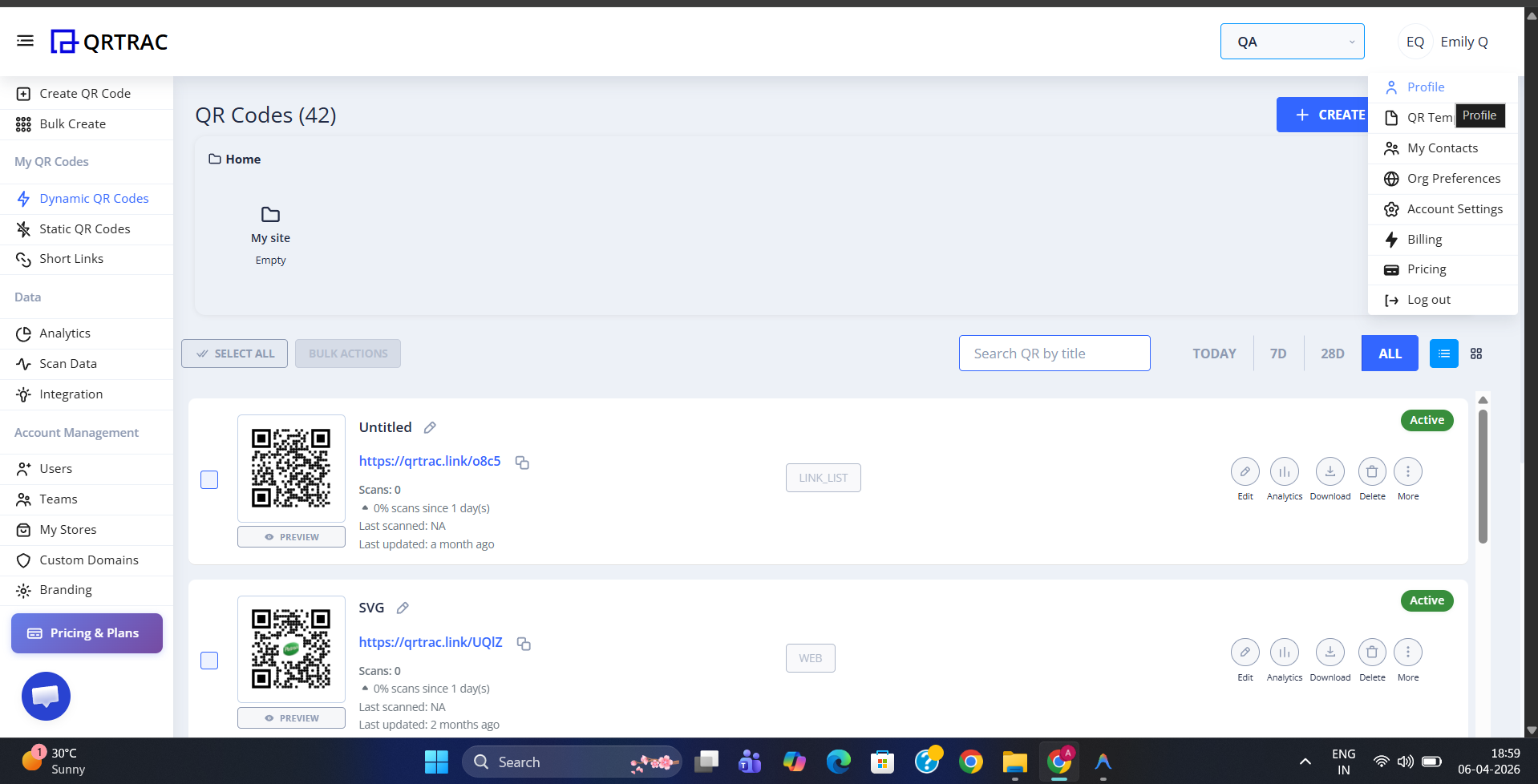
Click your avatar to open the account menu
The dropdown includes the following options:
- Profile — Update your name and password.
- My Contacts — Manage saved contacts.
- Org Preferences — Adjust organization-wide settings.
- Account Settings — Manage billing, plan, and integrations.
- Billing — View invoices and payment details.
- Pricing — Review available plans.
- Log out — Sign out of your account.
Click Profile to go to your profile settings page.
Step 2: Update Your Profile Information
The profile settings page shows your current account details and lets you make changes.
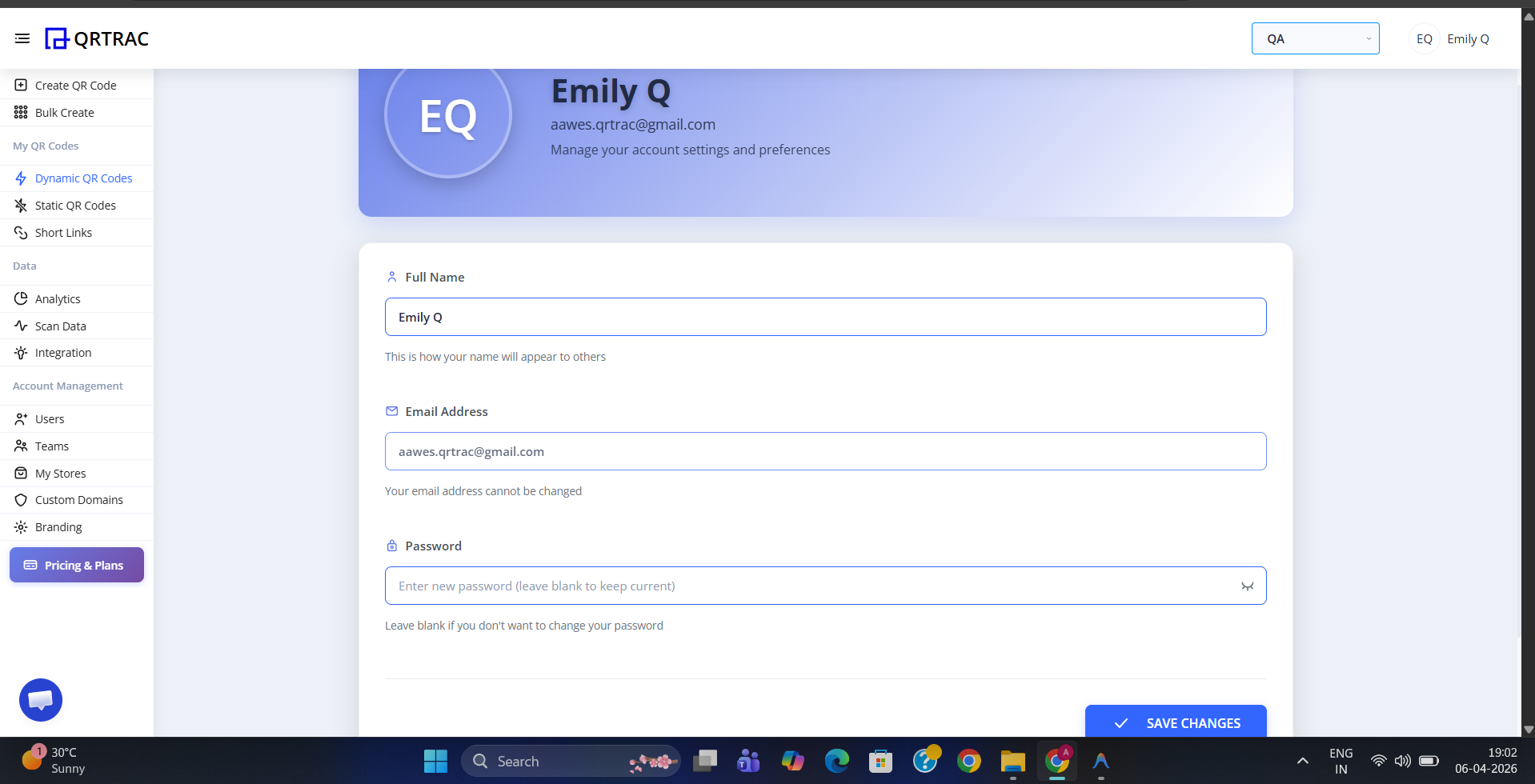
The profile settings page with name and password fields
The following fields are available:
- Full Name — The display name shown across the platform. Edit this field to update how your name appears to teammates and in exports.
- Email Address — Your primary login email. This field is read-only and cannot be changed from the profile page.
- Password — Enter a new password to update your login credentials. Leave this field blank if you do not want to change your password.
Tip: Leave the password field blank to keep your existing password. You only need to fill it in when you want to set a new one.
Step 3: Save Your Changes
Once you have made your updates, click the blue Save Changes button at the bottom of the page. Your profile will be updated immediately.
Email address cannot be changed
Your email address is locked to your account and cannot be updated from the profile page. If you need to change your login email, please contact QRTRAC support.